
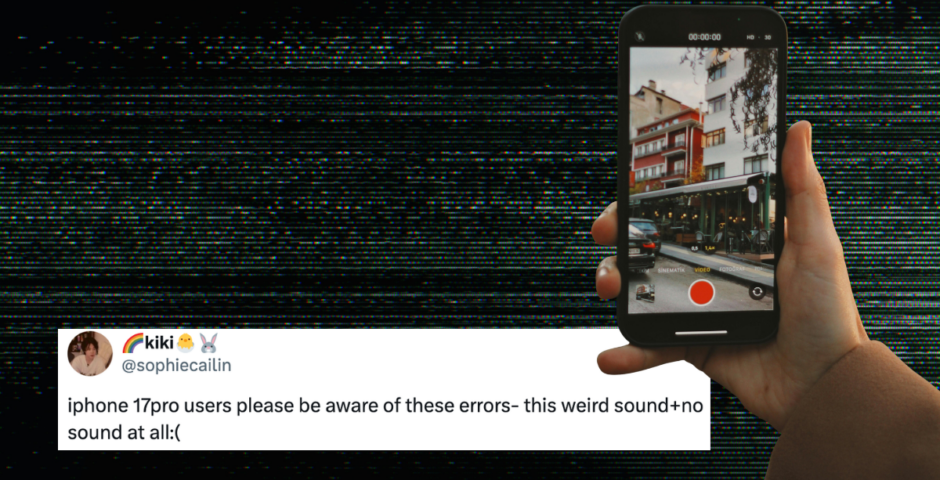
People are complaining about audio glitch on iPhone videos, so here’s the fix that actually works
The videos have a loud generator-like hum

If you’ve ever recorded what should have been the perfect video on your iPhone, only to discover later that the audio is missing or replaced by a strange humming noise, thankfully, there’s a fix.
Over the past few months, a growing number of iPhone users have reported a bizarre audio glitch affecting some of their videos. The issue doesn’t happen all the time, which is actually what makes it so frustrating.
In many cases, users say one video ends up with distorted audio, a loud generator-like hum, or even complete silence, while the videos recorded immediately before and after are perfectly fine.
So, a lot of people assumed there was something wrong with their phone. But the problem is affecting multiple iPhone models, including the iPhone 15, iPhone 16 and iPhone 17 series.
So what causes the iPhone audio glitch?
@rya.nnbw fuming #theweeknd #weekndmanchester #fyp #dontflop
Some people first noticed the issue while recording concerts, sporting events, clubs and other very loud environments. Others say it happened during normal everyday recordings.
Because the problem seems to affect only certain videos rather than every recording, many people believe it could be a software-related issue rather than a microphone hardware fault.
However, Apple has not publicly confirmed the exact cause.
So, how can you fix it?
@thetab_ This iPhone video audio glitch is not for the weak 💔#iphone17promax #iphone17 #iphone16 #harrystyles
Most Read



A lot of people on Reddit suggested that changing your audio recording settings can stop the problem from happening again.
One of the most commonly reported fixes is switching the video recording audio from Spatial Audio to Stereo. To do this, go to Settings > Camera > Record Sound > Stereo.
Many people who experienced the glitch said they have since recorded concerts, holidays and everyday videos without any further issues after making the change.
Some have also gone one step further and switched the recording audio to Mono. Apparently, turning off Apple Intelligence reduced lag on some devices and may have helped prevent the audio issue. But the same audio glitch was reported on older iPhones that don’t support Apple Intelligence at all.
Well, can you fix a video that already has the audio glitch?
Unfortunately, if a video has already been recorded with the humming noise or missing audio, there doesn’t appear to be a reliable way to restore the original sound. Users who contacted Apple were generally told that the affected video itself could not be repaired.
So, if you’re attending a concert, sporting event or another important event, it may be worth taking a few precautions:
- Switch from Spatial Audio to Stereo or Mono.
- Keep your iPhone updated to the latest version of iOS.
- Record a short test video before the event and play it back.
- If possible, record several shorter clips instead of relying on one very long recording.
- For especially important moments, consider using a second device as a backup.
For more like this – like The Tab on Facebook.
Latest
Oasis is returning to Manchester: here’s everything you need to know

Get your bucket hats at the ready for another Ticketmaster war

The Lost Paintings: A Prelude to Return at Bristol Museum and Art Gallery

19 June – 27 September 2026
The Lost Paintings: A Prelude to Return, running until 27 September, brings together 53 Palestinian artists from Palestine and the diaspora. Each artist was invited to respond to one of Tomb’s lost painting titles.

The mother of missing Jack O’Sullivan blames police for ‘total failure’ to find him

The most recent update in the Jack O’Sullivan case

New Sloane Robinson Building opens: Temple Quarter

First step towards the new Temple Quarter Enterprise Campus
Missing 13-year-old found in Manchester city centre after eight day search

Police have confirmed the teenager is safe and well

Who Lizzie Borden’s sister Emma was and if they were close, because Monster gets it all wrong

She never got married for a start

The real life Lizzie Borden house is still standing today, so here’s what it’s used for

It’s one of the most visited true crime landmarks

What Lizzie Borden was actually like in real life, according to the people who knew her
Monster keeps describing her as ‘plain’

Was Lizzie Borden in love with her maid Bridget? The real life theory around her sexuality
People dug up notes and have tried to prove the theory for decades

Calling all aspiring journalists! How to join The Bristol Tab

Come to our open meeting on the 28th of September at 8pm at The Beckford (In Senate House)

Stop what you’re doing: The King’s Tab is looking for new writers AND content creators

Come to our open meeting on Thursday 1st October, 5pm at The Vault!

Channelling your broke uni student lifestyle

Not everything needs to be accompanied by a £5 iced latte, here’s how to be more mindful

The York Tab is recruiting new writers and we want YOU!

Open meeting Monday 28th September, 6pm in SLB/004!

Here’s who the uncle in Monster: The Lizzie Borden Story was, and what Netflix makes up

John Morse really did stay in the Bordens’ house

Er, Lizzie Borden’s meeting with the actor Nance O’Neil was nothing like Netflix’s Monster
Their paths didn’t actually cross for another 14 years

With 600 alleged killings, this minor character in Lizzie Borden should have been the Monster

HUGE missed opportunity

Did Andrew Borden have a stutter? Charlie Hunnam breaks down accent and voice in Netflix show
The actor has fully explained it

Elektrik Warehouse responds to alleged ‘crowd crush’ concerns at Shoshi event

‘It was just lucky nothing insanely bad happened’

Uni of Edinburgh confirms 25 days of strike action over five weeks, affecting Welcome Week

Am email sent to Edinburgh University students read ‘staff are not obliged to tell us if they plan to take part, which means we cannot tell you who is or is not’

There’s a really smart way to hack your Spotify Wrapped results for 2026 – before it’s too late
The cut-off for data tracking is very soon!