
If your iPhone charging keeps stopping at 80 per cent, here’s what’s causing it and how to fix it
There are two major reasons

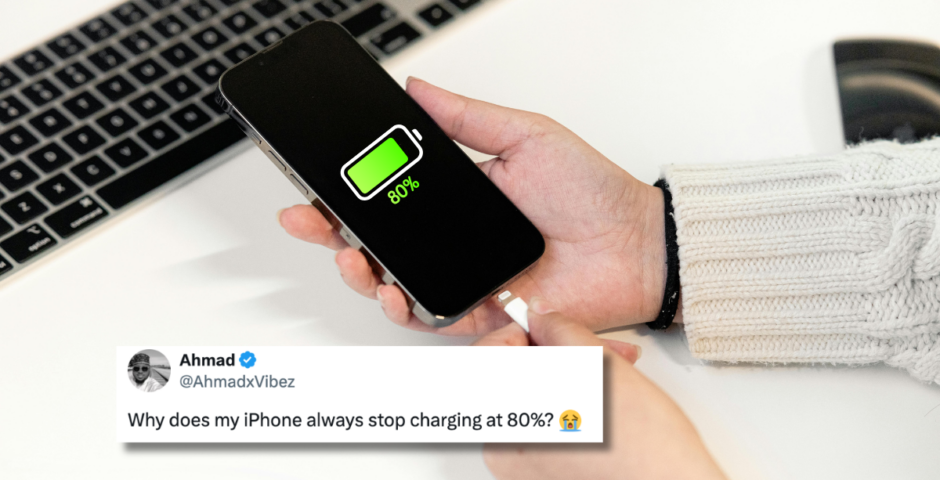
On today’s episode of Twitter confusion, people couldn’t figure out why their iPhone won’t charge past 80 per cent, and I genuinely thought something was wrong with mine the first time it happened.
The viral tweet asked, “iPhone charging stops at 80 per cent… genius battery feature or Apple nonsense?” And judging by the replies, loads of people had exactly the same question.
I can’t lie, I’ve always thought my new iPhone had a battery issue. But apparently, that’s not the case at all.
As it turns out, your iPhone might stop charging at 80 per cent on purpose. According to Apple Support, Apple designed a feature to help your battery last longer. The idea is that lithium-ion batteries don’t particularly enjoy sitting at 100 per cent charge for long periods of time. So instead of keeping your phone fully charged all night, your iPhone tries to be a bit smarter about it.
If you turn on Optimised Battery Charging, your phone learns your routine and figures out when you’re likely to unplug it. Then, in certain situations, it pauses charging at around 80 per cent and waits until later to finish the job.
So while you might think your phone is broken, it’s actually trying to protect its battery.
However, your iPhone might stop at 80 per cent for another reason, too
iPhone charging stops at 80%… genius battery feature or Apple nonsense?
iPhone users, what’s the reason ? pic.twitter.com/Clep0yEIMj
— Sudhanshu (@yadavji_codes) May 27, 2026



On newer models, including the iPhone 15 and later, Apple lets you set a charge limit. This means you can tell your phone to stop charging at a specific percentage, such as 80, 85, 90 or 95 per cent, instead of charging all the way to 100 per cent.
What’s funny is that some people don’t even realise they’ve turned on the setting. Which is why they wonder why their battery suddenly refuses to charge any further.
The good news is that if you want your iPhone to charge beyond 80 per cent, you can change it yourself. Just head to your Battery settings and check your charging options. You might have turned on the 80 per cent charge limit without realising it. Switch it to 100 per cent, and you’re all set.
For more like this – like The Tab on Facebook.



Latest

A weapon in the Lizzie Borden case was never found, and it might not have even been an axe

Many different theories were investigated

Lizzie Borden wasn’t right for Monster, and the ‘female rage’ reason they chose her makes it worse

There was so much wrong with it

The full Celebrity Traitors 2026 episode schedule as day change is confirmed
Don’t get caught out when it returns this week


Ryan Murphy picks his favourite American Horror Story season, and it’s a controversial choice

It’s Sarah Paulson’s least favourite

Why the Love Island 2026 Islanders are suddenly posting ‘tart’ on all of Lorenzo’s posts
People think it’s a divide

Former Newcastle student raped in Freshers’ Week speaks out on potential dangers

“I didn’t know what had happened to me… I came home and was very confused”


The 20 easiest UK universities to get into, based on accepted students’ grades

University of Roehampton students have a D and two Cs on average


Here’s what joining these Cardiff Uni societies says about you

Things you need to know before joining a new society

A favourite from the Love Island 2026 cast is getting an All Stars return
A second chance is well deserved

Right, it’s time to lock in: Here are 10 things every Cardiff Uni final year needs to know

It’s never too late to make this year the best one yet

Charli XCX’s viral VMAs reaction wasn’t about Taylor Swift, so here’s what actually happened
They’ve been surrounded by rumours for years

University sued over alleged fraternity gang sexual assault and punishing accused with essays
The members discussed the attack over Snapchat

Here’s what TV show your Cardiff Uni accommodation would feature in

Everyone’s favourite show is finally back for another season

The major celebs who skipped the VMAs 2026 and why, despite having multiple nominations
Ariana Grande was nominated eight times but didn’t attend

All the advice freshers need to survive first year: Love, Cardiff Uni students who survived

From YOLO to locking in, here’s all you need



The ultimate Uni of York guide: New year, new advice

Here’s everything you need to know before the academic year at the University of York