
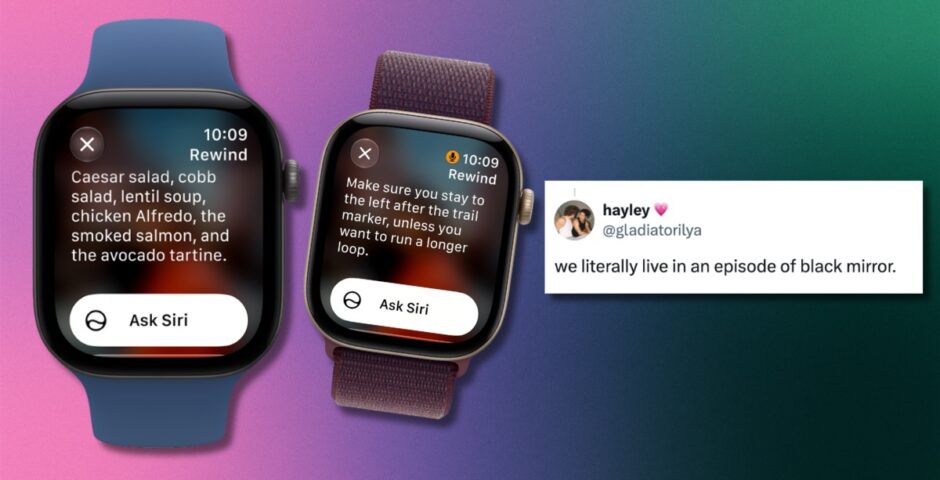
How Apple’s creepy new Live Rewind feature works, that lets you replay real conversations
We are actually living in an episode of Black Mirror

Apple held its annual Apple Event on Wednesday and announced a load of new releases, including a terrifying new Apple Watch feature called Live Rewind that literally replays people’s real-life conversations – here’s how it works, if it’s safe and most importantly, how to switch it off.
Alongside the vibey new iPhone Duo that folds in half, Apple decided it would be a great idea to let people see what was said around them for the last 15 seconds.
“Live Rewind recalls what was just said in the last 15 seconds by showing a text snippet on your Apple Watch,” Apple said. “So you can catch something you missed or are less familiar with.”

Credit: Apple
Launching with the new Apple Watch Series 12, it’s designed for when you miss a key detail of what someone said and “wish you could go back,” like someone giving you a book recommendation or a waiter telling you the restaurant’s daily specials. Basically, anything you didn’t quite hear properly the first time.
You double-press the button on the side of your Apple Watch, and it automatically brings up a transcription of the last 15 seconds of the conversation on the screen using Apple Intelligence.
People think the whole thing sounds like something out of the sci-fi series Black Mirror and is so scary. The idea of your Apple Watch constantly recording private conversations without consent is terrifying. But Apple insists it’s safe.



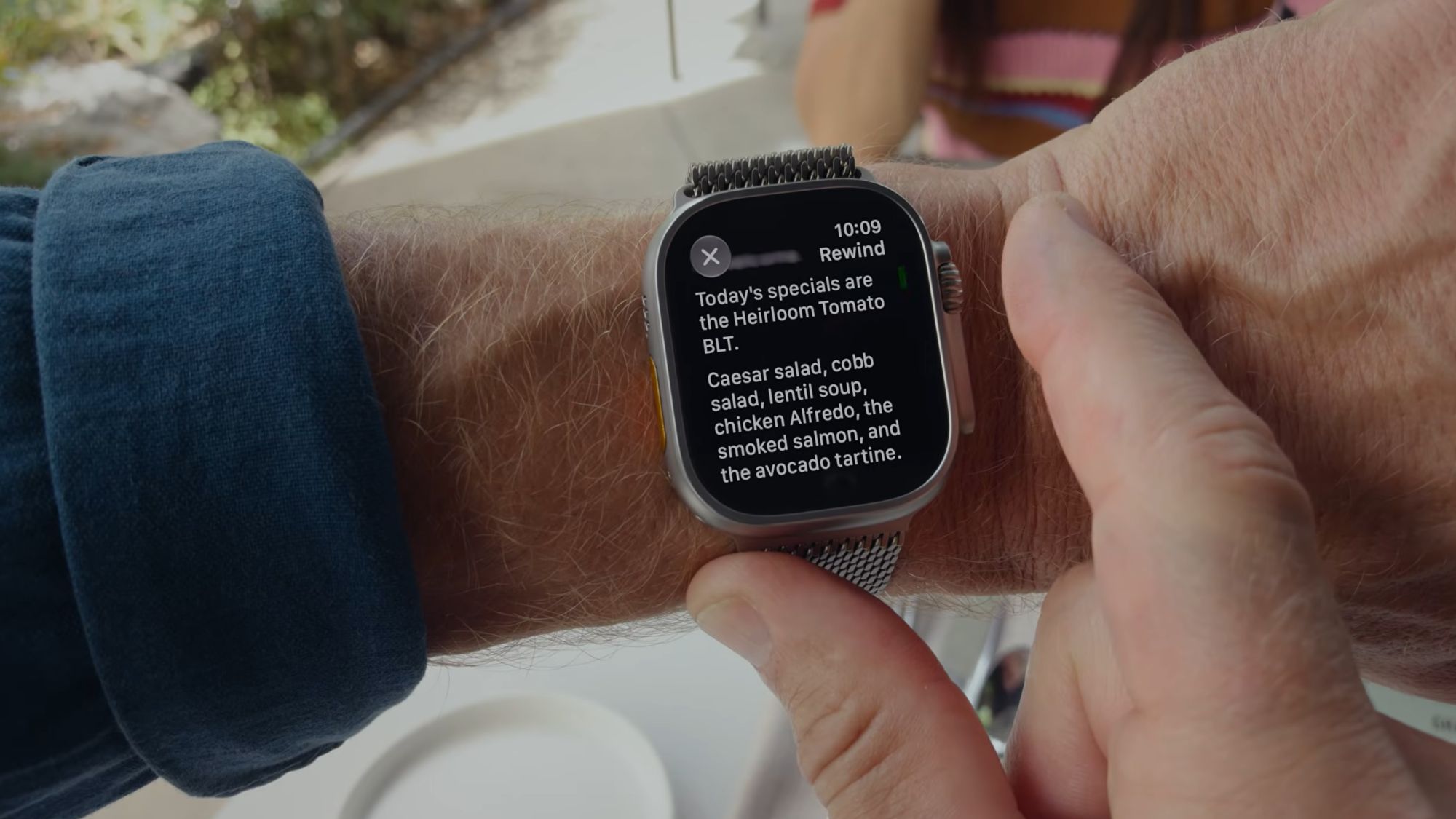
Credit: Apple
“Live Rewind only activates when you deliberately double-press the Digital Crown (side button). It only shows the last 15 seconds of speech as a text snippet on your display. It doesn’t continue to transcribe in the background, nor does it save the text unless you choose to ask Siri about the content or save it to the Siri app,” Apple said.
The tech company also revealed that Live Rewind “plays an audible chime” when it’s being used, even if Apple Watch is on silent, and “shows a full-display animation and microphone indicator so people nearby can hear and see that the feature has been activated”.
Live Rewind doesn’t create or store audio recordings, and the raw audio is not accessible to anyone, Apple told Wired. But if you’re still not convinced about its safety, you thankfully can switch it off. To turn it off, open the Apple Watch app on your phone and go to Siri > Live Rewind. Then, toggle off Double Click Digital Crown.
For more, like The Tab on Facebook.
Featured image credit: Apple
Latest

Calling all Cardiff Uni social secs – here are the social themes you must include this year

Another Wednesday, another fancy-dress theme to think of

The Tab’s ultimate guide to Halloweek in Sheffield

We’ve found all of the spookiest events happening across Sheffield, so get ready for a week of terror and chaos

It’s Breast Cancer Awareness Month: Here’s a KCL student’s guide to checking their chest

Because everyone should learn how to check their chest

Lancaster MP backs plans to fine passengers for blasting music on public transport

Cat Smith plans to fine bus and train passengers who play loud music
Can you finish this article without checking your phone?

It’s not just you, here’s what endless scrolling is doing to your concentration and your uni work
Are sports socities at UofG too exclusive?

Making a team might require hard work and dedication, but fitting into the social circle can feel like a whole other competition

Film documenting the killing of civilians in Gaza now showing at Tyneside Cinema

NAZA depicts interviews with 24 Israeli soldiers and intelligence officers

New to Birmingham? Here are the best study spots in the city

Whether you’re dodging your flatmates or convinced a change of scenery will fix your productivity, here are some spots where you’ll be able to buckle down (hopefully)

Things to do for Halloween if you didn’t get Salvos Tickets

Don’t fear, there’s more to Halloween than just the club

Six iconic halloween costumes for brunette Bristol girls

With summer now a distant memory, spooky season is upon us ladies

From pumpkins to parties: here’s a round-up of Halloween events happening in Lancaster

A guide to all of Lancaster’s best Halloween events

Love Is Blind’s Cam didn’t ‘do great’ when Aneha critiqued his looks at their engagement

He thought, ‘Wow, does she hate me?’

Lots of the Love Is Blind S11 cast aren’t from Boston – here’s how far apart the couples live
Blake and Erika live in different states

Miranda Hart’s painful reality with illness as Celebrity Traitors marks her iconic return to TV

For years, she was told it was just stress

Interview: Alexander Newman, outgoing Editor-in-Chief

From an unpublished study of Italian seduction to the top of the masthead in record time: the outgoing Editor-in-Chief on manifestation, media barons and why first years should be kept well away from microphones

The flatmate red flags Leeds students need to watch out for (and how to avoid them)

Don’t trust your flatmate? Here’s how to fix that

Newcastle food hot spots worth spending your maintenance loan on

If you’re going to splurge, splurge at these spots x

Top tips for securing the perfect student house in Birmingham

It’s like Escape to the Country, except we’re in Selly and there’s not a blade of grass in sight x

‘Everyone needs to fart’: Bristol bus driver loses tribunal claim after ‘significant flatulence’ incident

A Bristol bus driver has lost her tribunal claim after being dismissed on probation, with the judge ruling there was no discrimination or harassment