
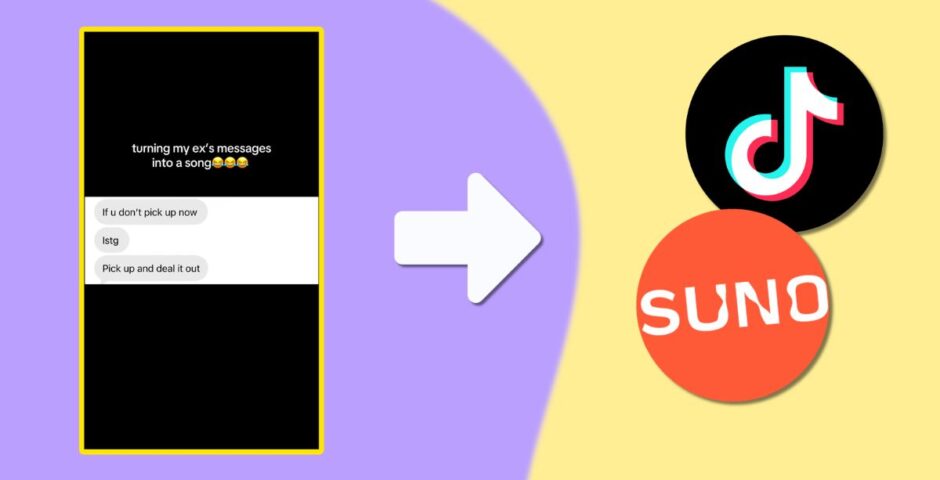
Step by step, here’s exactly how to turn your texts into the AI songs trending on TikTok
Some of these would have been in the UK top 10 back in 2016

Gen Z is without a doubt the funniest generation, and it’s largely down to how we deal with trauma and grief. I don’t mean filming yourself crying or going through a breakup, but turning a bad situation into a joke? Easy.
There are some really brave people exposing their toxic exes online in this new at text song on TikTok. The first one was so believable I couldn’t actually believe it wasn’t real.
It feels kinda weird when you remember you’re listening to someone’s private conversation but if that’s how people are getting over their exes these days, who am I to judge.
@p1nk_n4il I think he wanted me to pick up… 😂😭 #ex #imessage #ai #song #fyp


Here’s exactly how to make the AI text song on TikTok
- Download the Suno app
- Clock the orange music button
- select “advanced” at the top of the screen
- Paste the lyrics or texts you want to include
- Choose what genre of song under “Styles”
- Toggle “more options” to change voice gender, weirdness and style influencre
- Name the song and click the orange button
- Download or screen record the song
- Open CapCut
- Sync the audio with your message screenshots
The songs can be made with any subject, not just rap or using texts from your ex, obviously. The reason the trend is doing so well is largely due to the nature of the messages, which are unfortunately not always the nicest.
It is quite genius to rage bait your horrible ex with a rap of his insults and spam messages. Plus, it’s a really catchy tune.
Featured image via TikTok @p1nk_n4il



Latest

Lizzie Borden wasn’t right for Monster, and the ‘female rage’ reason they chose her makes it worse

There was so much wrong with it

The full Celebrity Traitors 2026 episode schedule as day change is confirmed
Don’t get caught out when it returns this week

Ryan Murphy picks his favourite American Horror Story season, and it’s a controversial choice

It’s Sarah Paulson’s least favourite

Why the Love Island 2026 Islanders are suddenly posting ‘tart’ on all of Lorenzo’s posts

People think it’s a divide

Former Newcastle student raped in Freshers’ Week speaks out on potential dangers

“I didn’t know what had happened to me… I came home and was very confused”


The 20 easiest UK universities to get into, based on accepted students’ grades

University of Roehampton students have a D and two Cs on average


Here’s what joining these Cardiff Uni societies says about you

Things you need to know before joining a new society
A favourite from the Love Island 2026 cast is getting an All Stars return
A second chance is well deserved

Right, it’s time to lock in: Here are 10 things every Cardiff Uni final year needs to know

It’s never too late to make this year the best one yet

Charli XCX’s viral VMAs reaction wasn’t about Taylor Swift, so here’s what actually happened
They’ve been surrounded by rumours for years

University sued over alleged fraternity gang sexual assault and punishing accused with essays
The members discussed the attack over Snapchat

Here’s what TV show your Cardiff Uni accommodation would feature in

Everyone’s favourite show is finally back for another season

The major celebs who skipped the VMAs 2026 and why, despite having multiple nominations
Ariana Grande was nominated eight times but didn’t attend

All the advice freshers need to survive first year: Love, Cardiff Uni students who survived

From YOLO to locking in, here’s all you need



The ultimate Uni of York guide: New year, new advice

Here’s everything you need to know before the academic year at the University of York

The real ‘most foul’ death of Bertha Manchester, who died six days before Lizzie Borden’s trial

Did ChatGPT write Monster or something?