
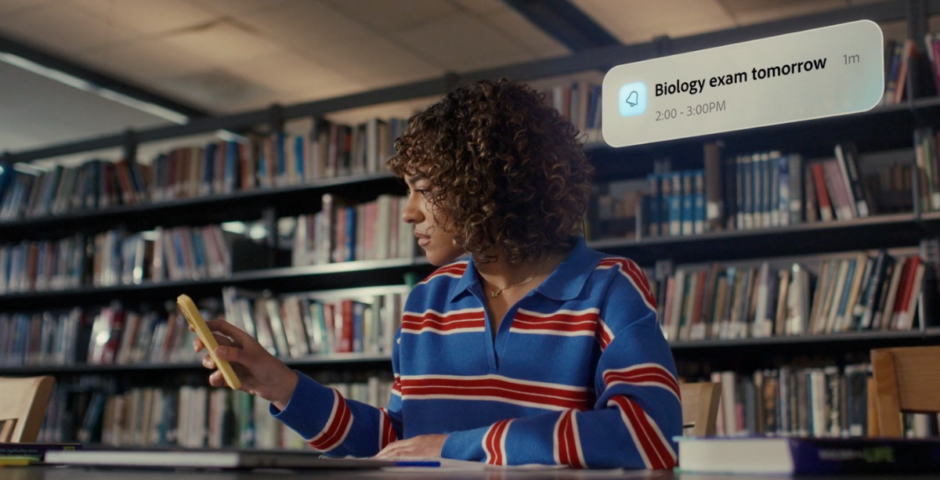
You’ve been using AI all wrong, so here’s how to make studying a whole lot easier
It’s giving less work but better grades
 Adobe
AdobeThis article is brought to you in partnership with Adobe.
With most of us turning to AI for everything, from getting through a break-up to how on earth we’ll ever finish our dissertation, it’s never been more important to actually learn how to use it to our advantage. Enter Student Spaces in Acrobat, an intentionally relevant tool that may just become your new bestie, because I don’t know about you, but I usually have over 10 tabs open on my laptop.
There are 400 billion documents opened in Acrobat each year, and three times as many people are now using the AI Assistant within the tool than last year. To be honest, I’m not even surprised. Between that long essay you’ve got to write over the summer break to trying to somehow research all the info you need for that group project, it’s exhausting. And a time-suck.
Student Spaces in Acrobat is a new free tool, available in beta, and a fresh way to study and collaborate with other people. It’s been built by students for students. You can use it to generate flash cards using the in-built AI Assistant, and convert documents into podcasts you can listen to while catching the bus.

Usually, my brain screams at me to doom-scroll TikTok whenever I need to sit and read an entire synopsis or book, even though I know watching 30-second videos of people playing with slime (it’s just SO satisfying) isn’t exactly how I’m going to get any coursework done.
Even worse when I know I need to somehow make a presentation look pretty, and I’ve got less than 24 hours to be assessed on it. It’s not easy juggling nights out, quiz nights with housemates, and getting top grades – on top of emailing the landlord about another problem.
Most of us have been trying to use AI, but it turns out there are easier ways to make it work for you. Student Spaces in Acrobat makes it simpler to collaborate on projects, share notes and ask questions – way better than having to drag yourself to the library while hungover to meet up.
We all know AI is the way the world is going, and Student Spaces is grounded in course materials and includes citations so the tool can verify and trust every answer. Less trying to work out if your housemate is being genuine when they tell you less studying, more pints.
More information on Student Spaces in Acrobat can be found here.
Okay, so here are the benefits of Student Spaces

Just in time for that end-of-university-year relief, Adobe has launched Student Spaces. That is exactly what it claims to be on the tin: A destination where students learn, connect, create and launch their futures, and keep it all in one place.
The tool means less researching on a laptop and more of an AI that becomes a really clever housemate (and not one that doesn’t wash up their dishes), and enables you to invite groups for projects you’re working on so you don’t all have to huddle round one laptop awkwardly.
They say your mind is much more peaceful when you’ve not got one million tabs open, so while we’re no stranger to having loads of different folders and random tabs open, you can actually just keep all your docs in one place. Basically, you’ll have your life together.


Most of us are currently using AI 24/7 but that’s not where all of our actual coursework sits, so this is essentially a go-to space for our studies. There are flash cards, quizzes, mind maps, study guides, video summaries, study packets, podcasts, and presentations.
Turns out we’ve been using AI so wrong

Student Spaces can actually be a crucial part of your study routine because it’s perfect for generating flash cards (thank god, my wrist is aching at the mere thought of typing or writing them out), and even putting together quizzes to help you remember the answers.
@legalv4she Student Spaces is a life saver! #ad #legalv4she #adobeacrobat #studentspaces #revision
Video by @legalv4she on TikTok
@phiebeadd #ad the best way to save time while doing uni work! #university #medicine #medicalstudent
Video by @phiebeadd on TikTok
To use Student Spaces, all you need to do is follow these steps:
- 1. Head to the Student Spaces website.
- 2. Click on ‘Get started’.
- 3. Once you’re taken to this tab, you can start using it for free. You can do this however you wish, such as dragging and dropping files into the main box or typing in what you want to study.
- 4. Click ‘Create student space’ to put your own docs together.
- 5. Otherwise, you can visit other curated Student Spaces by scrolling to the bottom.
For more like this, like The Tab on Facebook.
Image Credit for pictures embedded: Adobe


Latest

As Christa Pike’s execution fails, her accomplice boyfriend is living a totally different life

He gave an interview from prison in 2026

Christa Pike is one of eight people in US history to survive execution by lethal injection

She is being treated in hospital

When will Georgia Toffolo realise no matter how many times she pretends to be relatable… she’s not?

She’s posted yet another video about money

Meet Moyin Odeniran, the KCL student taking part in this year’s Great British Bake Off

Turns out all those hours in the library were worth it
Witnesses describe Christa Pike’s failed execution after she survives two rounds of lethal injection
‘I’ve witnessed, I believe, five executions in Tennessee. Nothing about today was normal’

A timeline of how Christa Pike’s failed lethal injection attempt unfolded, and where we are now
A lot has happened since 10am yesterday
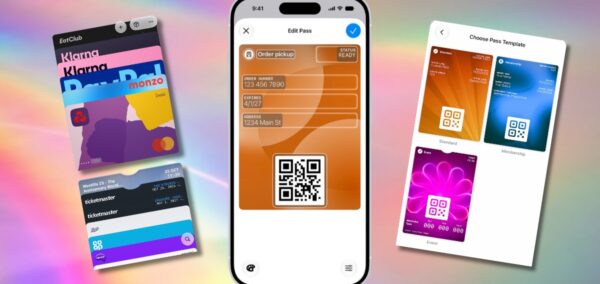
How to add any physical loyalty card to your Apple Wallet with genius new iOS 27 feature
Finally something that’s actually useful

Prue Leith admitted being 86 was one reason she decided to leave The Great British Bake Off

She has been replaced with Nigella

Louis Theroux subject fined after cornering shop worker with comments about his ‘English wood’
She felt ‘trapped’ as five men surrounded her

Eleven UK universities rank among the top 100 in the world – but not Durham

The University of Oxford is still first in the world

Christa Pike’s failed execution is Tennessee’s second this year, after Tony Carruthers
He has been granted a one-year delay

Pete Davidson shares his opinion on the constant body image scrutiny ex Ariana Grande gets
‘I don’t like it at all’
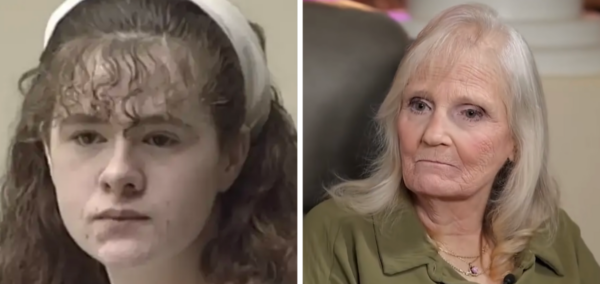
‘She didn’t die’: Mum of Christa Pike’s victim speaks out after two failed lethal injections
She said Christa showed no remorse

Christa Pike’s lawyers share statement addressing why death row inmate’s execution failed
A comprehensive review will ‘determine exactly what occurred’
‘My arm is about to bust’: What death row inmate Christa Pike said during failed lethal injection
She is now in hospital being provided life-saving measures
Freshers, here are 7 things you absolutely don’t need to worry about yet

Have a break, have a chill pill.

Eight damning pieces of evidence that suggest Lizzie Borden was guilty, despite her acquittal
Some things don’t add up

Monster: The Lizzie Borden Story star breaks down Bridget’s hidden motivations
‘She’s a woman who is struggling and surviving’
The real Abby was very different to how she seemed in Monster: The Lizzie Borden Story
Abby Borden apparently ‘had not an enemy in the world’

Seven things I wish someone had told me before Uni

Some words of wisdom from a third year student who had to learn this the hard way