
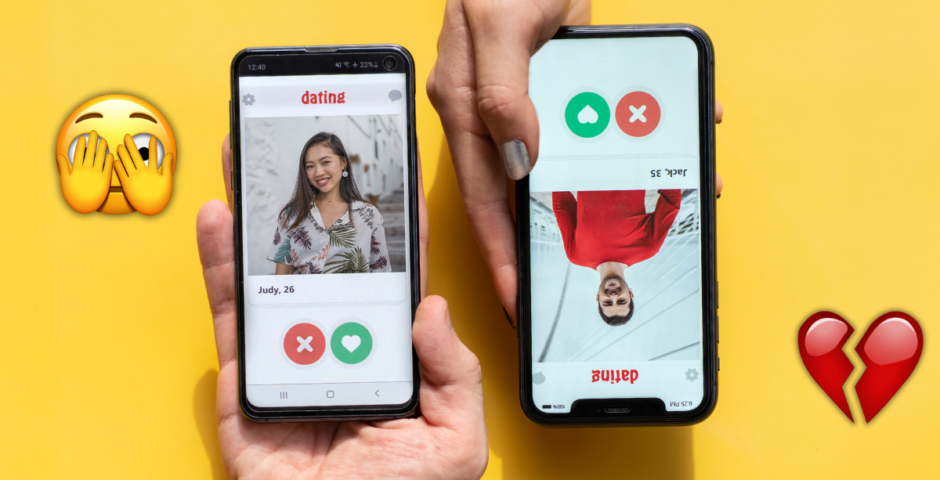
How to get your Hinge Wrapped 2025, to see how many people you’ve actually ghosted
I don’t think I want to look
It is that time of year again, when Spotify Wrapped tells us we’re in the top 1 per cent of Taylor Swift listeners and Duolingo shames us for not learning Spanish. But if you thought you’d escaped the annual digital roast, think again: Hinge Wrapped is officially back.

Credit: Wrapped for Hinge
Prepare yourself to see your dating life laid out in cold, hard data. It’s the only time of year where you can see exactly how many people you’ve liked, how many times you’ve been left on read, and, perhaps most painfully, your most-used emojis (we already know it’s the glass of wine and the crying face).
It’s basically a performance review for your love life, and let’s be honest, we’re all getting a “needs improvement”. Ready to see how many people you actually skipped? Here is exactly how to do it.
How to get your Hinge Wrapped

Credit: Canva



Before you get started, it’s important to know that this isn’t an official in-app feature like Spotify. It’s a fan-made website, which means you have to do a little bit of “admin” to get your stats.
- Step 1: Request your data. Hinge doesn’t just hand this over; you have to ask for it. Open Hinge and head to your profile. Tap settings (the gear icon). Scroll right to the bottom to the legal section. Tap download my data and follow the prompts to confirm.
- Step 2: Now, you wait. Hinge usually takes 24 to 48 hours to compile your data. They will send you an email notification when it’s ready. Once you get that email, go back to the same spot in your settings and download the zip file to your phone or computer.
- Step 3: Now for the fun part. You need to take that zip file and upload it to a third-party generator. Go to a site like hinge-wrapped.vercel.app or https://hinge.vantezzen.io/, and upload your zip file. The site will process your data and spit out a slide deck of your year.
Once it’s loaded, you’ll be able to see how many people you liked vs. how many liked you back, your average conversation length, and what you’re actually sending people at 11.pm on a Sunday. You’ll also be able to see your word clouds, aka the most common words used in your prompts and chats.
Sounds like a perfect Christmas activity!
For more like this, like The Tab on Facebook.
Featured image credit: Canva

Latest

The do’s and don’ts for Cardiff Freshers’ 2026

Don’t fear, your 2026 Cardiff Freshers’ guide is here

It’s official: The Leeds Tab is looking for new writers and content creators!

We will be hosting our open meeting at Dry Dock on Monday 28th September at 6pm

Former Leeds Beckett employee ordered to pay £20,000 after parking row

Amanda Barrow must pay Leeds Beckett £20,000 after taking them to an employment tribunal

A deep dive into how rich Eddie Horniman really is in season two of Netflix’s The Gentlemen

Er, he has half a million pounds of watches

I attended Lily Phillips ‘gloryh*le’ stunt with my husband, but only after considering the kids

Robyn Quinn and her hubby have a WILD life, but family always comes first

Six hours straight: Lily Phillips shares absolutely everything that went down at gloryh*le event

I’m clutching my pearls

Church leader shares ‘deep regret’ as he steps down and retires after video with Lily Phillips
His 20 year tenure has come to an end after a controversial video

Former showrunner Dan Schneider loses defamation lawsuit over Nickelodeon abuse documentary
He claimed the documentary portrayed him as responsible for child s*x abuse

Oh god, Lorenzo’s dad weighs in with ruthless post about Julia crying for attention in interviews
He claims she’s trying to make Lorenzo look bad

15 guaranteed signs in a university student’s room that he’s a total f***boy
4. A guitar with which he only plays Wonderwall

It’s been a messy week, so here are the latest relationship statuses of the Love Island 2026 couples
There have been splits, going official and first dates

The surprising 360 of ‘Thomas’, who starred in the most notorious gay p*rn film of all time

His story is whispered about in the dark corners of the internet to this day

Newest sad update on Perez Hilton, who just faced difficult decision that cost him $350k
He’s still in the hospital

25 years on, Pete Davidson reflects on losing his firefighter dad during 9/11
He spoke of having to explain the tragedy to his daughter now

Distressing final phone call 9/11 flight attendant made to husband moments before fatal crash
The hero ended the call with ‘I love you’ before attacking the hijackers with boiling water

‘My heart is broken’: Julia breaks down in tears as she talks about the last week with Lorenzo
The Love Island couple had been struggling for a while

‘Seek the truth courageously’: Here’s the Pope’s advice to Oxford students

Apparently your tutor isn’t the only person with thoughts on how you should approach your Oxford degree
D4vd case explained: The latest updates and allegations one year after Celeste’s body was found

A lot has happened recently
Mica Miller’s sister speaks out, revealing the gutting reason her family did not intervene
Abigail Francis is the baby of the family
NSPCC shares statement following Bonnie Blue being reported for ‘serious safeguarding concerns’
Yes, this is being taken seriously