
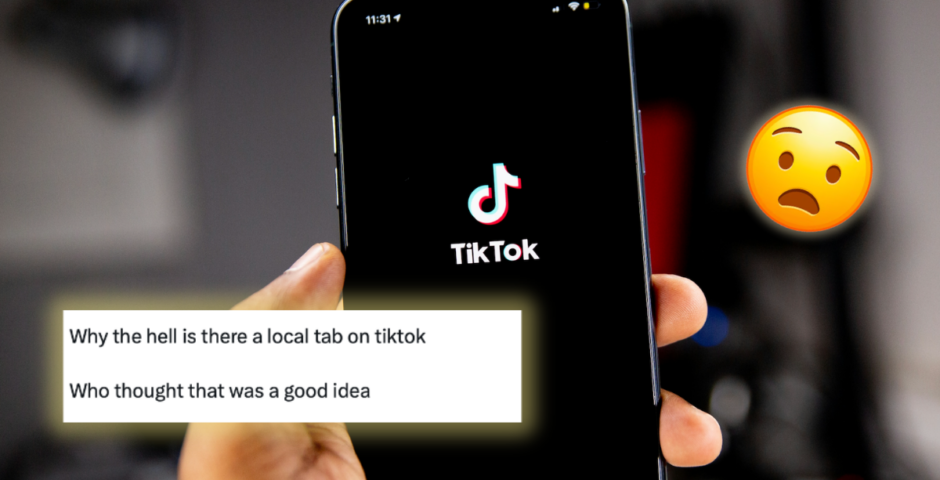
There’s a creepy new ‘TikTok local’ location feature, so here’s how to turn it off ASAP
It’s called ‘nearby’ in the UK
TikTokers are creeped out by a new ‘local’ feature that pushes content from people and businesses near their exact location, and many say they never opted in.

TikTok
In a Newsroom statement on Wednesday, TikTok Joint Venture LLC announced “Introducing the Local Feed: new ways to discover on TikTok”, confirming that the app is rolling out a new tab designed to show posts from nearby creators, restaurants, shops and events.
the new local feed on tiktok just randomly appearing and tracking my location with no warning pic.twitter.com/3802YWCG8A
— gwen⁷⭐️彡 (@ganyuumyg) February 13, 2026
While TikTok has long shown some location-based content, the new Local Feed feels far more in-your-face. Instead of the usual global For You page mix, people report seeing a much smaller content pool dominated by posts from their immediate area.
In the UK and other parts of Europe, the feature appears as a “Nearby” tab, while people in the US see it labelled “Local”.
TikTok describes the feature as a way to “discover and connect with content, businesses, and services wherever you are,” helping people “live like a local” and find restaurants, museums, shops and events around them. Posts are selected based on location, topic and how recently they were shared.
But for many, the idea that the app may be using precise GPS location to serve hyper-local content has raised privacy concerns, especially as some people say they never knowingly enabled it.
Be careful with the new TikTok update, it now shows a tab of videos that are local to you. And if you’re wondering how local, places that are literally one mile away from me. This means that anybody local to you can see your videos and you can’t turn it off.
This is really bad. pic.twitter.com/4wPA3fJaO8
— ︎Hallae (@Hallaedti) February 15, 2026

How to make sure TikTok Local is turned off
The Local/Nearby feed relies on precise location access. If TikTok can’t access your GPS location, it can’t populate the feature.
Here’s how to check:
1. Check your phone’s location permissions. Go to your device’s Location Services settings and find TikTok. If TikTok isn’t listed, it doesn’t have location access and you won’t get the Local feed.
2. Set precise location to off. If TikTok does appear, make sure precise location access is switched off. When off, TikTok says it does not collect precise GPS data.
3. Use private or limited-audience posts. TikTok says content won’t appear in the Local feed if the account owner is under 18, the account is private, or the post privacy is set to Friends or Only You. So, even if others have the feature, your posts shouldn’t show locally under those settings.
TikTok says precise location access is off by default, but given many apps request permissions during use without explicitly asking, it’s worth double-checking if you’d rather not have your content pushed to nearby strangers.
For more like this, like The Tab on Facebook.
Featured image credit: Unsplash/Solen Feyissa


Latest

Relationship expert reveals which Love Island 2026 couples are most likely to actually last

She’s not convinced one guy is ‘deeply invested’
The definitive worst day you can have as a Durham student, hour by hour

The snow is falling, your overdraft is maxed, and it’s only 9 am x
Where is A Toxic Love Story’s Ian Diaz now, 10 years after he made his ex’s life hell?

He refused to take part in the doc
10 details Netflix’s A Toxic Love Story left out that make Michelle Hadley’s case more harrowing

Apparently, police had evidence pointing to Ian Diaz before her first arrest


The huge friendship breakup Jess and Matilda had after Love Island as ‘bad blood’ is revealed

They’ve deleted virtually all trace of one another on socials

‘Happee’ or ‘Happeh’? New Lancaster study shows link between social class and pronunciation
The final vowel in words like ‘happy’ and ‘city’ varies by social class across Mancunian accents, according to new research
Police release chilling 911 call from when TikToker was killed by husband accused of paedophilia
The calls were made by Sara’s young son
New free two-weekend music festival to launch in Lancaster next month
The inaugural edition of Along The Watchtower will take place at Lancaster Castle across two weekends in August

Who’s friends and who’s not: The divide between the girls in the Love Island 2026 villa
There are two very separate groups
Ranked: Welsh unis by international fee reliance – Wrexham at 29.6 per cent of total income
Cardiff and Swansea both derive less than 16 per cent of income from international fees, as international applications to Welsh universities fall for the second consecutive year
What influencer’s husband was accused of doing, that prompted her to call him a ‘paedophile’ in TikTok
Sara Gilson called out her husband, and then he killed her

‘I didn’t think I would ever do it’: Mo Gilligan reflects on fame and his South London roots

The ‘funniest man in Britain’ returned home to South London to reflect on his career in an exclusive interview with The London Tab

‘We love you beyond words’: Families pay tribute to four men who died in Mersyside car crash
Four passengers in their 20s died in the collision on

Love Island producer reveals why there aren’t many challenges anymore after ‘abysmal’ series
Where was the baby challenge and the talent show?!

‘F*ck y’all’: Woman issues blistering response after Usher kicked her off-stage mid-lap dance
Even her mum is raging on Facebook

Influencer’s friend recalls her last day alive before she was killed by husband she accused of paedophilia
Sara Gilson’s husband killed her after she called him a paedophile in a TikTok

Love Island’s Belle finally reveals what’s going on with that young guy from her TikToks
Everyone’s been wondering

Two of the Love Island 2026 cast exchanged flirty messages and nudes before the show?!
They never said this in the villa!