
Here’s how to edit a story on Instagram, the strict time limit and how it notifies people
The new feature just launched today
Instagram finally added a feature that lets you edit a story after posting it, so here’s exactly how to do it – and all the other info you need to know.
There’s literally nothing worse than posting a story and realising there’s a typo or you put something in the wrong place. Then, you have to quickly delete it and hope nobody saw it before reposting.
Plus, it’s even worse when somebody already liked the story, and then you have to go through the sheer embarrassment of reposting it knowing that somebody already saw the original.
It’s something that shouldn’t be that awkward, but for some reason it just is. Thankfully, Instagram has finally answered all of our prayers.
Here’s exactly how to edit a story on Instagram
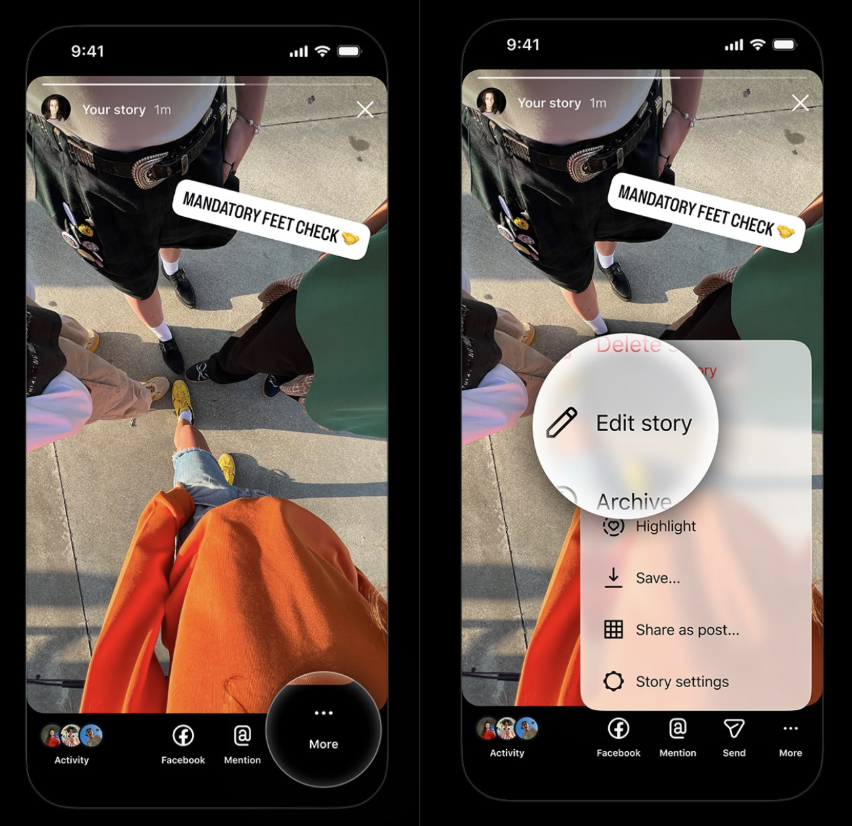
To edit a story, all you have to do is open the story you posted and click on the “More” button in the bottom right-hand corner of the screen. After that, click “Edit post”. The new button will appear between the “Delete story” and “Archive” buttons, with a little pencil symbol next to it.
Credit: Instagram
You have to edit the story within the time limit
There’s just one rule: You only have 15 minutes to edit the story. After that, the “Edit post” button will disappear, and you won’t be able to change anything.


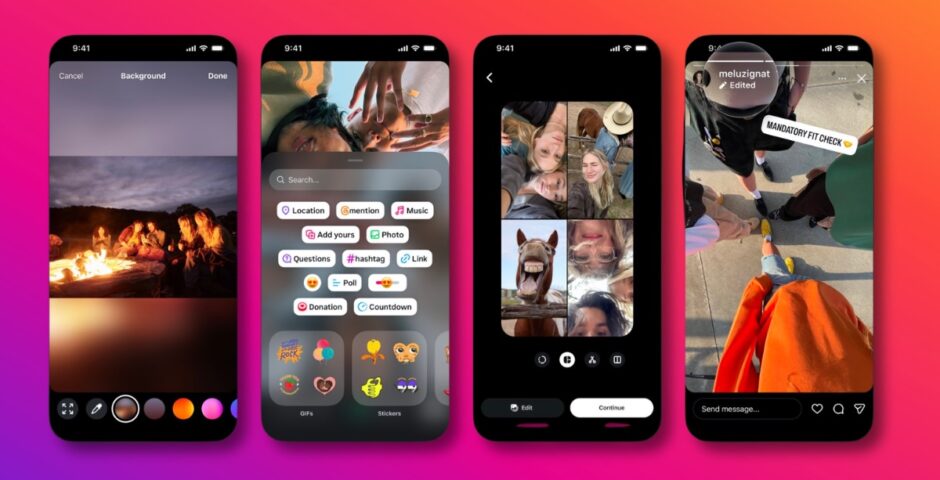
“Instagram now lets you edit Stories after you post them. You have up to 15 minutes to fix typos or change the text, stickers, drawings or music. You can make those edits without deleting and reposting your Story, and your views, likes and replies stay in place,” Instagram said.
And Instagram will show everyone it’s been edited
Oh, and one more thing. Instagram will show everyone that the post has been edited by putting the word “Edited” with a pencil symbol underneath your username. Kind of annoying, and unnecessary.
four new Stories upgrades are here:
📸 easier multi-select
✏️ edit after posting
🖼️ backgrounds for any photo size
💅 fresh stickers pic.twitter.com/iscNto0JRx— Instagram (@instagram) November 18, 2026
What if you don’t have the ‘Edit post’ button?
If you can’t see the option to edit your post, either the 15-minute time period has already passed, or you haven’t got access to the feature yet.
It was only just announced on 18th November, so it will be slowly rolling out to all accounts right now. Make sure your app is updated to the latest version to be the first to get it.
For more like this, like The Tab on Facebook. Featured image credit: Instagram

Latest

Here’s how to edit a story on Instagram, the strict time limit and how it notifies people

The new feature just launched today
University of Manchester ranked among world’s top universities for sustainability
The university continues to be recognised for its global sustainability impact
Wayne and wife Coleen Rooney have been plagued by cheating allegations over the years

Here’s everything that’s happened

I’m A Celebrity’s Chloe Burrows reveals why she quit Celebrity SAS after just 38 hours
‘I don’t even know why I did it’

Eight facts about I’m A Celeb comedian Jack Skipper, because no one has the foggiest who he is

He planned to launch a burger restaurant called Dorothy Gherkins

The oldest graduate and first dogtor: York St Johns record breaking graduation
This weeks ceremonies see’s York St Johns oldest-ever graduate and first ‘Dogtor’ graduate

How much Keith Lemon is getting paid for I’m A Celeb and his impressive net worth
He’s the third highest paid this year

Claire Sweeney is third richest I’m A Celeb campmate, so here’s a look at her secret fortune
She has rebuilt her wealth after serious money problems

Gloves are off! Meet your Cardiff Fight Night 2026 fighters
Time to find out who’s pulling their punches
Beyond the degree: why Manchester students should embrace being multi-passionate
From paediatrics to poetry, Pinky May proves you can be more than your job title
Just two days in and there’s a big change to the I’m A Celeb 2026 episode schedule
I need routine, please
Chris Watts’ ‘wife’ speaks out after he calls off jail wedding and starts relationships with male inmates
‘There is so much more to it’
Think you’ve got what it takes to run The Manchester Tab? Apply now
Applications close November 25th at 23:59pm
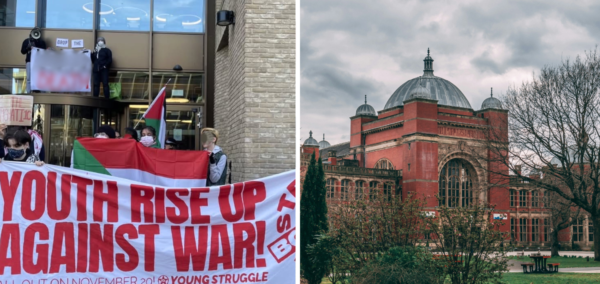
Birmingham students are walking out in protest of university militarisation
Students are protesting on Friday 20th November against the militarisation of universities across Europe

Paul Hollywood reveals what Noel Fielding is really like away from Bake Off cameras
He questioned the team’s decision

University of York abortion discussion sparks backlash after Pro-Life Society ratification
The York Union hosted a conversation on abortion in the UK
Plans for York city centre Aparthotel approved by council
Plans have been approved to transform a building on Parliament Street in York to an Aparthotel

Vampire Diaries star’s sweary rant about Nathaniel Buzolic resurfaces amid his feud with co-stars
‘Sociopathic’ was the nicest thing she said about him
Yorkshire councils and NHS hit hard after Microsoft outage nightmare
Major global Microsoft outages sparked chaos within York councils, police forces, and hospitals.